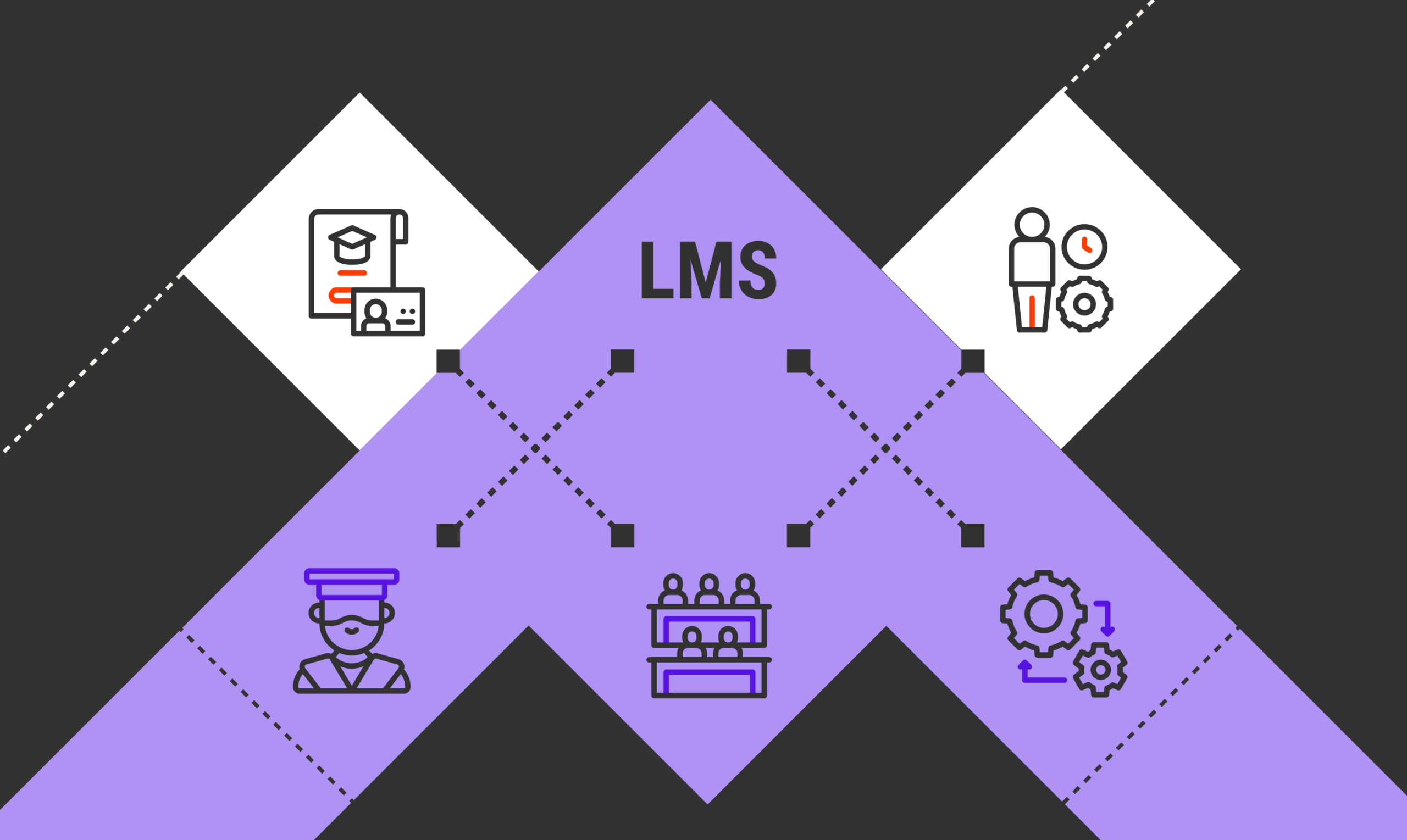
Modern LMS Strategies: How to Win the Market
Modern LMS Strategies: How to Win the Market | The e-learning and Learning Management System (LMS) sector has transformed into a massive economic powerhouse valued at hundreds of billions of dollars. This massive growth, however, brings fresh challenges for platform providers. Competition is no longer just about who has the crispest video footage or the highest volume of modules. Amidst an information overload and the increasingly dominant presence of artificial intelligence (AI), a platform’s competitiveness is defined by how intelligently it understands user needs and how easily its digital ecosystem can be discovered by prospective customers.
In the face of these dynamics, conventional approaches to managing and marketing digital learning platforms must be completely overhauled. Shifting user behaviors and evolving search engine algorithms demand strategies that are more adaptive, personalized, and seamlessly integrated into people’s daily routines.
AI-Driven Personalization and Contextual Learning
Rigid learning formats that force every individual through the exact same curriculum are no longer relevant. Today’s users expect digital platforms to function like premium entertainment streaming services—delivering content instantly based on their interests, viewing history, and current level of understanding.
1. Intelligent Recommendations and Adaptive Learning Pathways
Artificial intelligence enables an LMS to analyze a user’s learning behavior in real-time. When a learner struggles with a specific topic, the system automatically adjusts their pathway, offering supporting materials or altering the delivery format. This automation ensures that skill development progresses optimally without causing frustration or boredom from overly simplistic content.
2. Learning in the Flow of Work
Setting aside hours of dedicated time for traditional training is often a heavy burden for the modern workforce. The solution lies in embedding the learning process directly into their daily digital work ecosystems. Through microlearning modules lasting just five to ten minutes, educational content can be accessed directly via daily communication tools like Microsoft Teams or Slack. This approach allows capability development to happen naturally, aligning with daily job responsibilities without sacrificing productivity.
Next-Gen Visibility Strategies: Moving Beyond Conventional SEO

Traditional search engine optimization methods that rely heavily on keyword stuffing are now obsolete. Modern search algorithms have shifted their focus to context, practical utility, and the ability to provide direct answers to complex queries.
1. Generative Engine Optimization (GEO)
The rise of AI-powered search engines and Large Language Models (LLMs) is changing how people look for information online. Users now tend to ask long-form questions and expect concise summaries generated by AI. This is where GEO plays a crucial role. Learning platform owners must design their website architecture and landing pages in a way that makes them easy for AI systems to understand, cite, and reference when answering user queries.
2. Establishing Topical Authority
Instead of writing random blog posts just to drive instant traffic, focus must shift toward building a comprehensive content ecosystem. Becoming a leading authority in a specific skill set means providing deep-dive guides, case studies, and interconnected theoretical analyses. When a platform is recognized for its high credibility on a topic, both search engines and users will treat it as the ultimate go-to reference.
Vertical Integration and a Focus on Tangible Results in the B2B Sector
The corporate or B2B market features highly rational decision-making. Companies investing their budgets in an LMS are no longer just looking to fulfill employee training quotas; they demand a tangible impact on their key business performance indicators.
1. Segmentation Based on Specific Industry Needs
The one-size-fits-all platform approach is being left behind. Successful platforms generally focus on specific business verticals and strict regulatory environments. High-demand areas of focus include:
-
Compliance training for the financial and manufacturing sectors.
-
Partner onboarding systems for franchise networks or large-scale distribution.
-
Sales enablement programs for high-tech industries and large-scale retail.
2. Advanced Analytics and Executive Dashboards
To convince top-level management, LMS platforms must provide transparent and in-depth data reporting. Through advanced analytics, learning metrics can be tied directly to business performance improvements, such as reduced operational errors, faster onboarding times for new hires, or increased sales conversions. Executive dashboards that present ROI (Return on Investment) data visually serve as the most effective tool for B2B client retention.
High-Performance Platform Features to Minimize Friction
The user experience during the very first interaction with a platform determines whether a learner will commit to a course or abandon the site entirely. Clunky interfaces and slow navigation are the primary enemies of course completion rates.
1. Mobile-First Architecture
Learning often takes place on the move—during daily commutes, while waiting in lines, or during short breaks. Because of this, optimizing for smartphones is no longer just an optional add-on. Design elements must be thumb-friendly, text must be easily readable without zooming, and visuals must be lightweight to save data. Additionally, providing captions for all video materials is essential for users studying without audio devices.
2. Adopting Immersive Technologies and Social Interaction
Low course completion rates are frequently driven by digital isolation and boredom. Integrating the right gamification elements—such as achievement badges, leaderboards, and daily streaks—can trigger intrinsic user motivation. Furthermore, utilizing AR/VR for practical simulations alongside cohort-based (group) learning environments creates a vibrant, interactive academic atmosphere that mirrors face-to-face learning while remaining completely flexible.
Community-Driven Marketing and Building Public Trust
As the internet becomes flooded with millions of mass-produced, AI-generated pieces of content, humanity and brand authenticity have become the ultimate differentiators. Marketing strategies that prioritize emotional connections and real-world proof are proving to be far more effective at building long-term loyalty.
1. Cohort-Based Learning Models
Self-paced learning without social interaction often leads to engagement fatigue. Conversely, hybrid learning models that gather a group of students to learn together over a set period create a dynamic discussion space. Through interactive forums and group projects, participants can exchange ideas, expand their professional networks, and receive direct feedback from human mentors. This collective experience is something artificial intelligence simply cannot replicate.
2. The Power of Social Proof and User-Generated Content
Prospective consumers are much more likely to trust recommendations from fellow users than biased claims from corporate advertisements. Displaying User-Generated Content (UGC), honest alumni reviews, and career success stories is an invaluable marketing asset. Authentic narratives showing how a platform successfully transformed someone’s professional life carry far more persuasive power to convert casual visitors into loyal customers.
Strategic Steps Forward
Winning the race in the digital learning industry requires a clever combination of technological innovation and a deep understanding of human psychology. Investments in artificial intelligence development must be balanced with the creation of high-authority content and user-friendly platform architecture.
By delivering training solutions that integrate seamlessly into daily work routines, offering clear performance data visualization for corporate clients, and fostering a robust community ecosystem, an LMS platform will not only survive but lead the market amidst fierce global competition. The industry leaders of tomorrow are those who can simplify access to knowledge while delivering it precisely when it is needed most.

Turn Website Visitors into Buyers with This Strategy
Turn Website Visitors into Buyers with This Strategy | Building a successful digital business in 2026 is no longer just about having a beautiful website. In today’s highly competitive online marketplace, a website can no longer function as a passive digital brochure—waiting for visitors to arrive, browse, and leave without a trace. If you want your digital strategy to drive genuine, long-term growth (results over time), you must be able to convert every visit into a concrete action.
One of the most adaptive and proven tactics to achieve this is by integrating a sales funnel system directly into your content management platform. With the right approach, you can transform WordPress into an automated conversion engine that works for you 24/7.
In this deep-dive guide, we will break down the strategic steps to design, build, and optimize a high-converting sales funnel using the WordPress ecosystem.
Why WordPress Needs a Sales Funnel System
Most beginner business owners make the same mistake: they direct traffic from ads or social media straight to their generic homepage or standard product pages. The result? Visitors get overwhelmed by too many menu options, links, and information that feels irrelevant to what they actually looked for. This confusion is the number one killer of digital conversions.
This is where a sales funnel becomes crucial. Instead of letting visitors get lost, a funnel guides them sequentially and with absolute focus, moving them from product introduction to the final financial transaction.
The great news is that you do not need to pay expensive monthly subscription fees for external software. The WordPress ecosystem in 2026 is mature and offers limitless flexibility to build this infrastructure independently and cost-effectively. By combining the core power of WordPress, a free e-commerce plugin like WooCommerce, and dedicated funnel builders like CartFlows or WPFunnels, you maintain full control over your data, design, and the entire user experience.
The Essential Software Foundation
Your first step is to prepare a solid technical foundation. Do not worry—you do not need to master complex programming languages. The components below are designed to work seamlessly as a plug-and-play system:
-
WordPress (Core): Functions as your central command center for all content and site management.
-
WooCommerce: A powerful free plugin that handles physical and digital product creation, taxes, inventory, and payment gateway integration.
-
Dedicated Funnel Builder: Plugins like CartFlows or WPFunnels act as the brain that modifies the conventional WooCommerce checkout flow into a streamlined, persuasive pathway.
-
Page Builder: For the visual aspects, you can use a drag-and-drop editor like Elementor, Divi, or even WordPress’s native editor (Gutenberg), which has become incredibly advanced by 2026. This tool ensures your sales pages look professional and stunning on all screen sizes.
Designing High-Performing Funnel Stages
Once your software is ready, it is time to map out your funnel architecture. A standard, high-converting sales funnel consists of three essential, interconnected stages:
1. The Main Offer Page (Landing/Sales Page)
This is the first gateway your potential buyers will see. On this page, your sole focus is delivering a strong value proposition. Strip away all header and footer navigation menus found on regular websites to eliminate distractions.
Write a headline that speaks directly to solving the customer’s pain point, back it up with social proof, and place a prominent Call-to-Action (CTA) button. The objective here is singular: get them to click that button and move to the checkout process.
2. The Streamlined Checkout Page
Standard online store checkouts are often long and tedious, requesting unnecessary information. This friction triggers last-minute cart abandonment.
With a funnel builder, you can optimize this page. Keep form fields to an absolute minimum, display trust badges for security, and offer instant, popular payment options like digital wallets or automated bank transfers.
3. The Memorable Thank You Page
Too many businesses waste this page by simply stating “Thank you for your purchase.” In reality, the moment right after a customer spends money is when their trust in your brand peaks.
Utilize this page to provide clear instructions on how to access their product, include a short onboarding video, or present a special coupon code for their next purchase.
Proven Tactics to Boost Average Order Value (AOV)
Attracting new visitors to your website requires a massive investment, whether through long-term SEO optimization or paid advertising. Therefore, the key to healthy profit growth is maximizing the amount of money spent by customers who are already primed to buy.
WordPress funnel plugins allow you to effortlessly implement two psychological marketing tactics:
Order Bumps
This features a small, targeted checkbox offer placed directly on the checkout page right before the user hits the final payment button. Inside, you offer a highly relevant, lower-priced complementary product.
For instance, if you are selling a digital training course, you can include an order bump offering an “Interactive Workbook & Cheat Sheet” for a small additional fee that consumers can add with just one tap.
One-Click Upsells
This tactic works magically right after the customer completes their primary payment but before they hit the thank you page. The system triggers an exclusive offer page highly relevant to what they just bought.
Customers can add this premium product to their order with a single click, without the hassle of re-entering their payment details. It is the most effective way to multiply your revenue in seconds.
Nurturing Relationships with Email Automation
The customer journey does not end when the transaction is complete. To ensure your business delivers long-term results, you must bridge your WordPress sales funnel with an automated email marketing platform like Mailchimp, ConvertKit, or FluentCRM.
This synergy allows you to execute automated workflows such as:
-
Instant Product Delivery: Sending digital download links or account access automatically without manual intervention.
-
Cart Abandonment Recovery: Sending scheduled reminder emails to prospects who filled out their details on the checkout page but left before completing the transaction.
-
Continuous Education: Delivering a series of value-packed emails to build an emotional connection, turning one-time buyers into loyal advocates for your future product lines.
Crucial Steps: Testing and Data Evaluation
Before launching your new funnel to social media or allocating your ad budget, perform rigorous testing. Activate the test mode on your payment gateway and run through the entire buying journey from start to finish.
Ensure that transitions between pages are seamless, typography is legible, and most importantly, verify that every page is lightweight and fully responsive on mobile. With the vast majority of digital transactions in 2026 occurring via smartphones, mobile optimization is non-negotiable.
Once the system goes live and attracts real traffic, shift your focus to monitoring analytics data regularly. Prioritize tracking these core metrics:
-
Landing Page Conversion Rate: The percentage of visitors moving forward to your checkout page.
-
Checkout Success Rate: Identifying whether there is any psychological or technical friction stopping users from completing payments.
-
Average Order Value (AOV): Measuring how effectively your order bumps and upsells are performing.
By consistently evaluating and making data-backed micro-adjustments, your sales infrastructure will become incredibly solid, efficient, and ready to act as the primary engine driving your web growth over time.

How to Turn Casual WordPress Traffic Into Buyers
How to Turn Casual WordPress Traffic Into Buyers | Driving visitors to your website is an achievement, but it is only half the battle. Many business owners get trapped in vanity metrics, watching their traffic charts skyrocket without seeing any real impact on their bottom line. If hundreds or thousands of people land on your WordPress site only to leave within seconds without leaving a trace, your digital ecosystem is suffering from a severe leak.
In today’s highly competitive digital landscape, sustainable web growth is no longer measured by how many people drop by, but by how many casual visitors you successfully convert into loyal customers. Relying on brief “fly-by” visits cannot sustain a business over time. This is where you need targeted strategies designed specifically to build deeper relationships with your audience from the very second they land on your site.
Here are three primary pillars you must refine within your WordPress ecosystem to stop traffic leaks and transform your site into a consistent revenue-generating engine.
1. Optimize the User Journey and Retention

When someone reads one of your blog posts through a Google search, they enter as a casual visitor. If they reach the final paragraph and find no logical next step, they will simply close the tab and forget your brand. Eliminating these digital dead ends is the ultimate key to building retention.
Smart Internal Linking
A user-friendly website always provides a logical path forward. Placing relevant internal links within or at the end of an article acts like a roadmap. Visitors who find value in your first piece of content will gladly click through to your next recommendation.
To automate this process without losing contextual relevance, you can leverage tools like the YARPP (Yet Another Related Posts Plugin). This plugin intelligently analyzes your content and displays a tailored list of similar articles at the bottom of the page. By lengthening session durations, you not only boost conversion opportunities but also signal to search engine algorithms that users highly value your site.
Offering High-Value Lead Magnets
Simply asking for a visitor’s email address without offering something substantial in return rarely yields results. People are incredibly protective of their inboxes. Therefore, you need to offer a highly specific, high-value resource as a fair exchange.
Provide free downloadable resources, such as:
-
A concise, print-ready checklist.
-
A ready-to-use workspace template that saves them time.
-
A free mini-course delivered incrementally via email.
Ensure this lead magnet solves one specific problem faced by the reader of that particular article. When they willingly share their email address, a personal relationship begins. Email marketing continues to hold the crown for the highest return on investment (ROI) because it allows you to nurture prospects directly, completely independent of shifting social media algorithms.
Capturing Last-Second Opportunities with Exit-Intent
Often, visitors intend to leave not because they dislike your site, but because they simply got distracted. You can recapture their attention right before they abandon the page by tracking their cursor movement.
Tools like OptinMonster or Bloom offer specialized Exit-Intent Pop-up features. These promotional overlays only trigger when the system detects the user’s cursor moving rapidly toward the browser’s close or back button. This approach is far more courteous than hitting visitors with an intrusive pop-up the moment they arrive, which destroys the reading experience. Offer a last-minute discount or access to your flagship lead magnet within this window to salvage what would have been lost traffic.
2. Ensure Lightning-Fast Performance
Even the most brilliant retention strategy is useless if your WordPress site takes more than three seconds to load. Modern audiences have an incredibly thin margin of patience online. Slow load times are the single most common reason potential buyers abandon a page and head to a faster competitor. Technical performance is the bedrock of long-term business growth.
Implementing a Caching System
Every time a visitor accesses your site, WordPress works behind the scenes to fetch data from the database and compile it into a webpage. This process consumes time and server resources. By deploying a caching system, a static HTML copy of the finalized page is stored for future use.
When the next visitor arrives, the server instantly delivers this pre-rendered copy instead of processing the entire page from scratch. You can install premium feature-rich plugins like WP Rocket, or optimize server-level built-in tools like LiteSpeed Cache. This simple adjustment can slash your page load speeds drastically in just a few clicks.
Bridging Geographical Distance with a Content Delivery Network
If your web server is located in New York and a potential client from London or Tokyo tries to access your page, the data must travel a significant physical distance. This latency can be mitigated by integrating a Content Delivery Network (CDN) like Cloudflare.
A CDN works by duplicating your site’s static assets—such as CSS, JavaScript, and images—across hundreds of servers spread globally. Consequently, when someone visits your site, they receive data from the server closest to their actual geographic location. The result is near-instantaneous access, no matter where your audience is based.
Putting Your Images on a Strict Weight Diet
High-quality imagery makes an article look polished and professional, but unoptimized visual files are the heaviest anchor dragging down web performance. Before uploading any illustration or photo to your WordPress media library, ensure its dimensions are resized to match your display needs.
Next, hand over the automatic compression process to dedicated plugins like Smush or Imagify. These tools reduce image file sizes without causing any human-perceptible drop in visual quality. Converting your images to next-generation formats like WebP is also highly recommended to keep your total page weight as light as possible.
3. Track and Refine with Data Analytics

Managing a website without monitoring data analytics is like driving a car at night with the headlights turned completely off. You might be moving forward, but you have no idea where the vehicle is heading or if there is a cliff right around the corner. To create a measurable growth strategy over time, every optimization choice must be rooted in concrete numbers, not guesswork or intuition.
Integrating a Monitoring Dashboard Directly into WordPress
You do not need to feel intimidated by the complexity of reading statistical charts. Google provides a practical, official solution via a plugin called Google Site Kit. This tool allows you to connect your WordPress site directly to Google Analytics and Google Search Console without writing a single line of code.
Once active, you can track site performance trends, see exactly which keywords bring people to your site, and view your most popular pages—all directly from your main WordPress dashboard.
Capitalizing on Your Highest Traffic Sources
As data accumulates, you will begin to notice distinct patterns. The Pareto Principle often applies here, where roughly 80 percent of your total casual traffic actually lands on just two or three popular articles. These high-performing pages are absolute goldmines that must be fully leveraged.
Review these top-performing pages immediately:
-
Does the article feature a clear, compelling Call to Action (CTA)?
-
Is there a prominent banner directing readers to your primary product or service?
-
Have you placed a newsletter signup form in an easily visible position?
If your most visited pages are completely free of conversion elements, you are essentially letting business opportunities slip through your fingers every single day. Optimize these high-traffic pages immediately by placing your best offers front and center.
Integrating Components for Real Web Growth
Sustainable digital growth does not happen overnight through a single massive overhaul. Long-term results are the accumulation of small, incremental improvements made consistently across your web ecosystem.
By serving a site that loads at lightning speed, guiding users through relevant paths via clean internal linking, recapturing their attention with exit-intent offers, and constantly evaluating top pages using analytics, you build an automated conversion engine. Visits that used to be casual and fleeting will evolve into deep business relationships, generating a loyal customer base that drives your business growth forward over time.

How to Configure WordPress Analytics to Track Business Leads
How to Configure WordPress Analytics to Track Business Leads | Relying solely on standard metrics like daily pageviews is no longer enough to measure your website’s success. To ensure your digital growth strategy delivers measurable, long-term results, you need to know exactly what visitors do once they land on your site. This is where setting up custom analytics becomes essential.
By implementing tailored tracking, you can monitor specific user actions—ranging from high-value call-to-action (CTA) clicks and lead form completions to critical document downloads.
When it comes to implementation in WordPress, you have options. You can either leverage user-friendly plugins to automate the process or manually inject tracking scripts to keep your website footprint lightweight and fast.
3 Methods to Set Up Analytics Based on Your Technical Comfort

Every website owner has different preferences regarding code management. Here are three alternative pathways you can take to deploy custom tracking.
1. Using No-Code Plugins (The Easiest Way)
If you want to see immediate data without writing a single line of code, utilizing dedicated plugins is your best choice. This approach is ideal for establishing automatic event thresholds.
-
MonsterInsights: The go-to option for connecting your Google Analytics property instantly via the WordPress dashboard. Its biggest advantage is the setup wizard that lets you configure event tracking right from the sidebar.
-
Site Kit by Google: The official Google framework for WordPress. It is highly recommended for cleanly deploying global Google Analytics 4 (GA4) tags across your entire website architecture.
-
Independent Analytics: An excellent alternative if your business requires strict privacy compliance (like GDPR). This plugin records custom metrics directly into your site’s internal database without using third-party cookies.
2. Header Script Injections (Intermediate Level)
For those who want a clean administrative panel without bulky dashboards slowing down the backend, deploying scripts directly into your structural theme headers is a smart choice.
The steps are straightforward:
-
Log into your Google Analytics Control Panel, then navigate to Admin > Data Collection > Data Streams to copy your explicit Measurement ID (G-XXXXXXXXXX).
-
In your WordPress backend, install a secure snippet manager such as WPCode Header and Footer.
-
Access Code Snippets > Header & Footer, and paste your global tracking tag sequence directly into the Header text field.
3. Modifying Core Theme Functions (Advanced Level)
Developers generally prefer direct integration into the website layout. To prevent your tracking blocks from being overwritten during a theme update, always use a Child Theme.
Open your child theme’s functions.php file via an FTP client or your hosting file manager, then add a custom action hook targeting wp_head to echo the script parameters:
PHP
add_action('wp_head', 'wp_custom_analytics_script');
function wp_custom_analytics_script() {
    ?>
    <!-- Global site tag (gtag.js) - Google Analytics -->
    <script async src="https://googletagmanager.com"></script>
    <script>
      window.dataLayer = window.dataLayer || [];
      function gtag(){dataLayer.push(arguments);}
      gtag('js', new Date());
      gtag('config', 'G-XXXXXXXXXX');
    </script>
    <?php
}
Building Your Custom Events
Once your foundational tracking tag triggers successfully across your pages, you can track specific user workflows. This is done by inserting standard gtag.js JavaScript execution routines anywhere within your custom block layouts or template buttons.
For example, if you want to track how many users click a primary lead-generation button in your homepage hero section, use the following script:
JavaScript
gtag('event', 'lead_form_click', {
  'button_location': 'homepage_hero',
  'campaign_tier': 'premium_tier'
});
To see these specific variables inside your external reporting panels, navigate back to your Google Analytics Property Configuration. Enter Custom Definitions and register your new event parameters (such as button_location) as explicit Custom Dimensions.
Understanding visitor behavior in granular detail is the ultimate key to refining your conversion strategies. Whether you choose automated plugins or manual code adjustments, ensure that the data you collect directly aligns with your long-term business growth objectives.